portline
http://portline.localhosthttps://crimson-otter.portline.liveLiveGet named local URLs and instant public links for your dev servers — zero config. Inspect, replay, and debug every request with a beautiful native UI.
2 routes · proxy :80
http://portline.localhosthttps://crimson-otter.portline.liveLivehttp://landings.localhostName it, share it, and watch every request flow through — without touching your code.
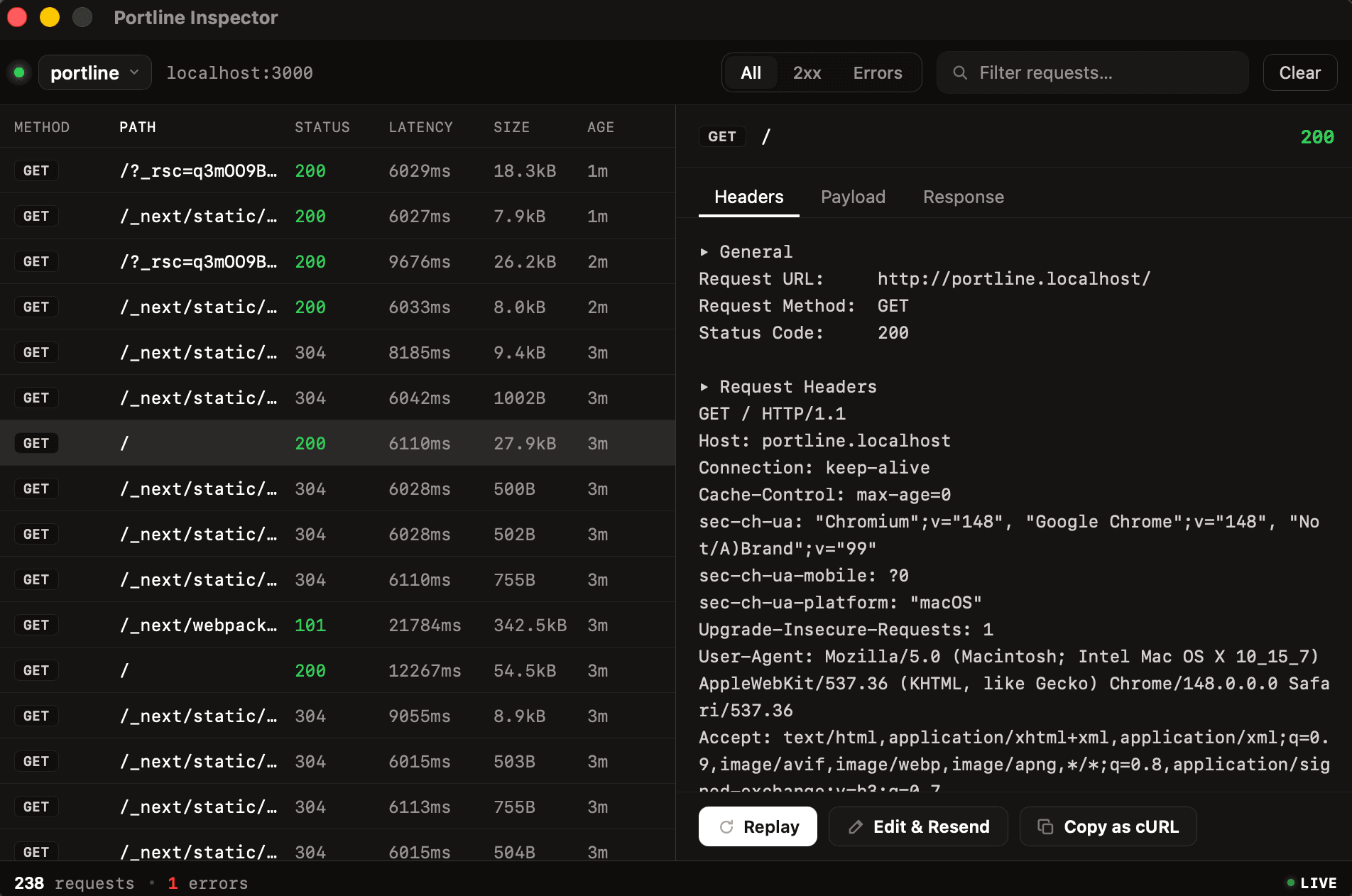
Inspect headers, bodies, and status codes as they flow through — no Chrome DevTools needed.
web.localhostWorks with any framework and language.
Share over HTTPS in one click — demos, webhooks, devices.
It names your server, optionally shares it, and records every request on the way through — so you can replay or edit & resend any of them.

Just prefix your command with portline and a name. Named local URLs, auto-detected ports, optional HTTPS sharing — no config, no project changes.
$ next dev
▲ Next.js · ready in 1.2s
http://localhost:3000
$ portline myapp next dev
portline registered myapp.localhost
▲ Next.js · ready in 1.2s
Next.js
$ portline myapp next dev
Vite
$ portline myapp vite
Rails
$ portline myapp rails server
Go
$ portline myapp go run .
Whether you're debugging an API, sharing a demo, or testing webhooks — Portline fits in without getting in the way.
Watch requests hit your local server in real time. Inspect headers, payloads, and status codes — no Chrome DevTools, no proxy config.
Send a secure HTTPS link to your local server. Teammates, clients, and reviewers can see your app running on your machine — no deploy needed.
Point Stripe, GitHub, or any webhook at your Portline URL. Requests arrive at your local server — inspect and replay them anytime.
Open your Portline URL on a phone, tablet, or another machine on the same network. Instantly see how your app behaves across devices.
Run API, web, and auth servers side by side — each gets its own named URL. No more juggling port numbers.
Tap any captured request, tweak the headers or body, and resend it — perfect for reproducing flaky bugs or iterating on API design.
One plan, everything included. No hidden fees.
Share your work with the world.
Same Pro, billed yearly.
For teams shipping together.
No. You prefix your dev command: portline web next dev. Portline wraps the process and detects the port — nothing is committed, and it works with any framework.
Anything that listens on a port: Next, Vite, Rails, Django, Go, a raw HTTP server. Portline observes the process from the outside, so it never has to integrate with your build.
Your local server is exposed over an encrypted tunnel to Portline's relay and served at an HTTPS subdomain. You decide when it's on — turn it off and the URL stops resolving.
Local .localhost traffic never leaves your machine. Public tunnels are encrypted in transit, and only requests to your live URL ever reach your server.
macOS today (Apple Silicon & Intel). Linux and Windows are on the roadmap.
ngrok only gives you a public tunnel. Portline also gives you named local URLs, a built-in request inspector, and replay/edit — all from a menubar app. And local .localhost traffic never leaves your machine.
The app updates itself in the background, so security fixes reach you quickly — no manual reinstall, no stale versions.
Yes. Each service gets its own .localhost name and optional public URL. Run as many as you need — they're all visible in the menubar.
Install in seconds.